See the membership at a glance
The MemberPress adapter is designed to display active, ending-soon and lifetime plans, with the stored renewal or end date and a line showing the share of a term remaining.
Member Snapshotv1.0.0 · Source ZIP
Member Snapshot brings membership information and course progress into one card. Add a WordPress block or shortcode, choose the sections you need and help signed-in members find their next step.
For membership and course-site owners preparing a clearer account page.
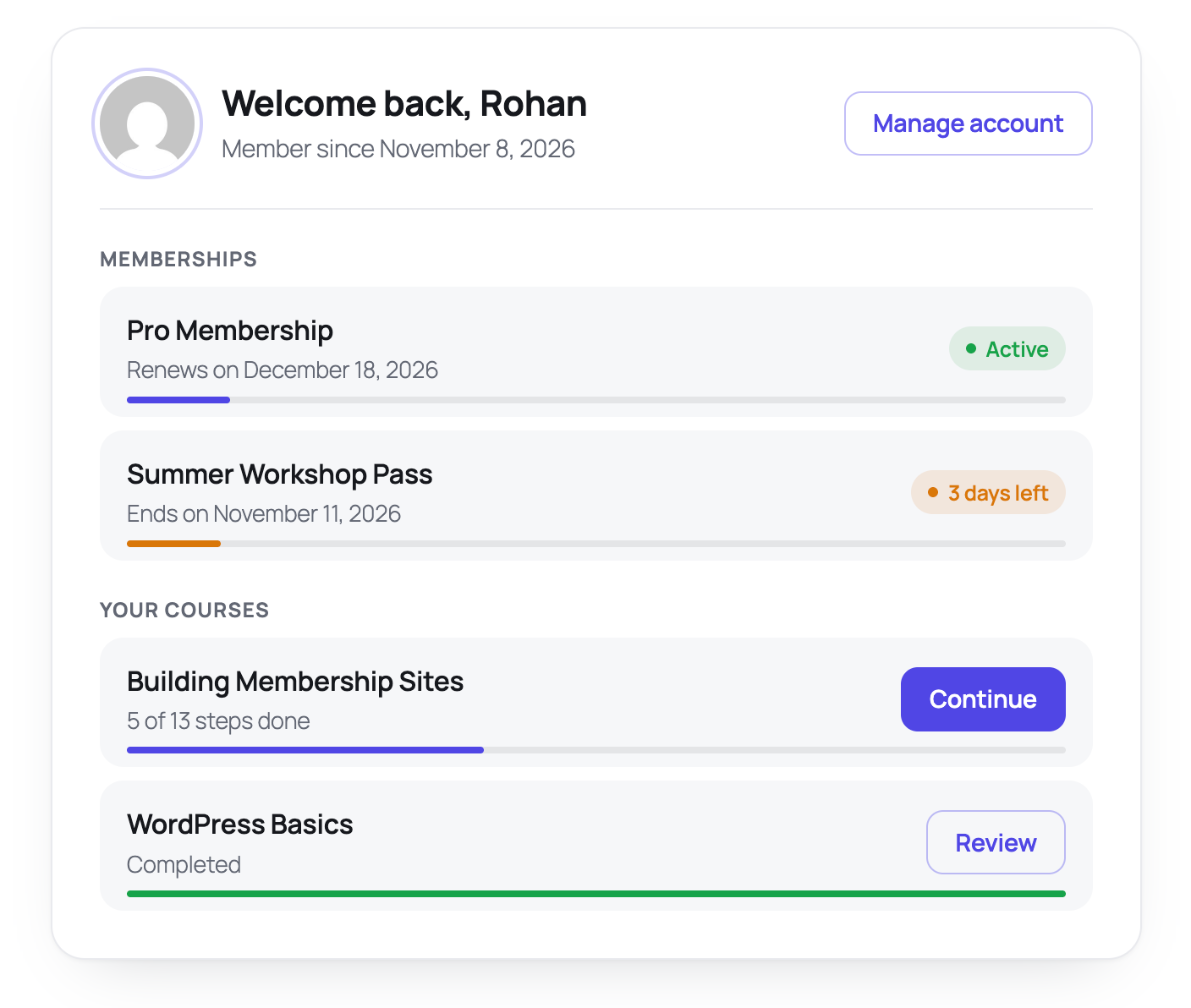
A membership site can scatter plan details and courses across several screens. Member Snapshot reads the signed-in account’s available data and presents it together, while the membership and course plugins remain responsible for access and billing.
The MemberPress adapter is designed to display active, ending-soon and lifetime plans, with the stored renewal or end date and a line showing the share of a term remaining.
The LearnDash adapter reads enrolled courses and progress. Unfinished courses appear first; Start, Continue and Review links open the relevant course page.
Use the Member Snapshot block or the member_snapshot shortcode. Change the heading and show memberships, courses or both. Editors can preview the layout with sample data.
Step-by-step tutorial
Start with a staging copy of your own membership site and two test member accounts. This guide includes the integration checks needed before you publish the card to real members.
Get the source ZIP ↗Download the Member Snapshot source ZIP. Upload it through Plugins → Add New → Upload Plugin and activate it. Live membership data requires MemberPress; live course data requires LearnDash. Those products and their licenses are separate.
Edit a staging page and insert the Member Snapshot block. Alternatively, add a Shortcode block containing [member_snapshot]. Set a heading and choose the memberships and courses sections you want to display.
An editor with no real data can use [member_snapshot demo="1"] to see the sample card. Keep signed-in account pages out of shared page/CDN caches. Sample data is a design preview, not an integration test.
Sign in as each test member separately. Compare plan status and dates with MemberPress, and compare course enrolment and progress with LearnDash. Check every course and Manage account link. Confirm one account never sees the other account’s details.
Sign out and check the login card and return link. Test your theme at phone width and confirm that your cache does not reuse member output. Publish only after the real records and links behave correctly on your own site; retain the existing account page as a fallback.
Choose the right tool
Before you install
No. You can use the memberships section with MemberPress or the courses section with LearnDash. Turn off the section you do not need. Live data still needs its corresponding plugin, or a developer-provided adapter.
Sample data lets an editor preview the card when they have no real memberships or courses. It is gated by edit-posts permission and demo mode. Always check with actual test member accounts before publication.
No. It reads and displays data. Your membership and course plugins remain responsible for permissions, payments, enrolment and progress tracking.
The card inherits the theme font. A developer can set the card’s --ms-accent CSS variable to match your brand. Check contrast and focus states after changing colours.
Start on staging. The real MemberPress/LearnDash integration and signed-out flow remain unvalidated, so confirm the displayed data, links, caching and account isolation on your own installation first.
Your site. Your data. The full source.
Download the source ZIP, read the setup guide and try the workflow on your staging site.
Found a reproducible problem? Open a GitHub issue. Keep customer records and credentials out of public reports.
Need help with an integration? Talk to MemberFix Studio.