Look up one order
See order eligibility, download permissions, expiry, remaining allowance, identity differences and duplicate records together.
Access Ledgerv1.1.0 · Free
Access Ledger is a free WooCommerce plugin that explains download-access problems before you change anything. Inspect the evidence and correct eligible email mismatches without resetting customer limits.
For digital-product stores and the people who support them.
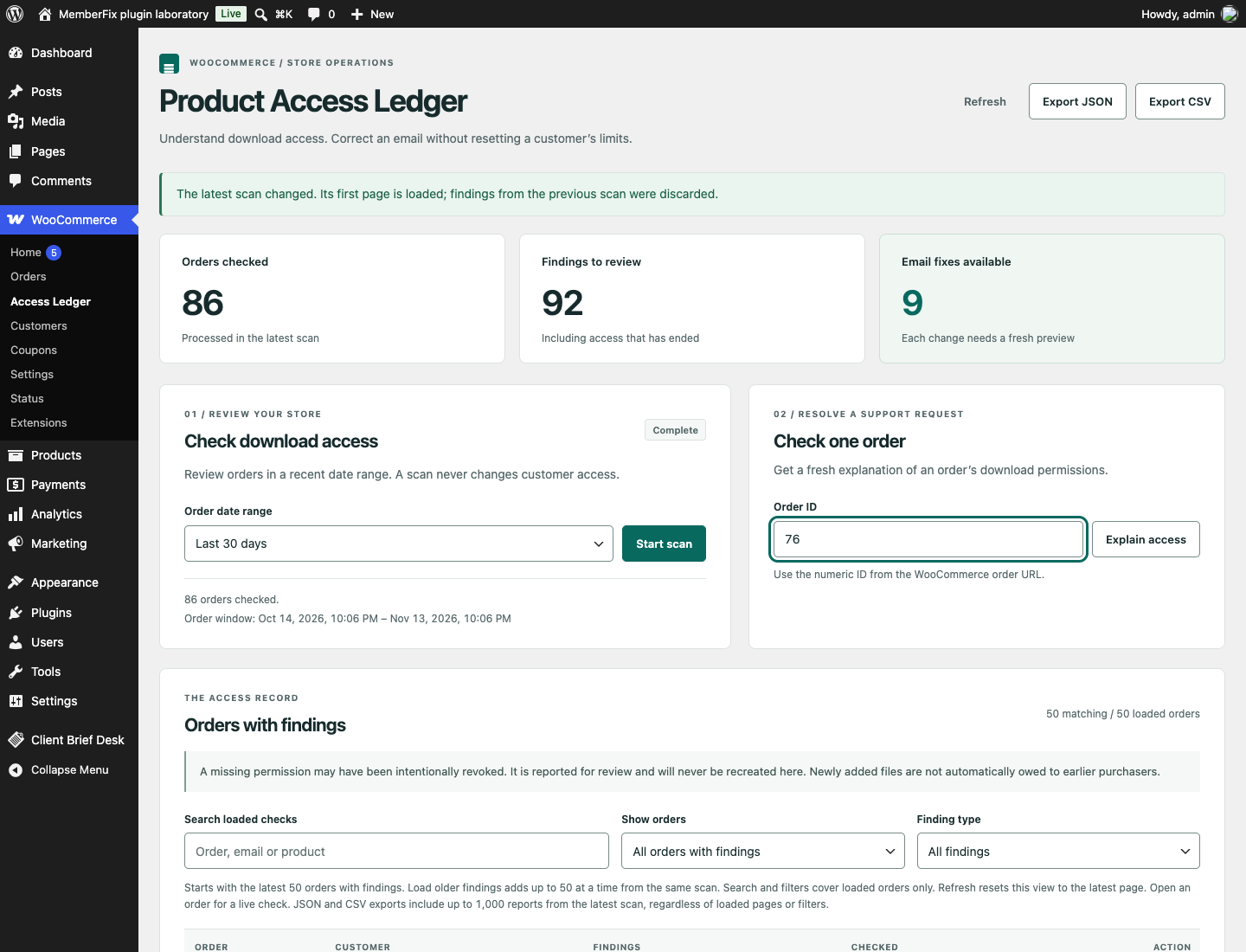
“The customer paid” and “the customer should have this download” are different questions. A permission may be expired, exhausted or deliberately revoked. Access Ledger shows what the store currently records, so you can choose the right next action.
See order eligibility, download permissions, expiry, remaining allowance, identity differences and duplicate records together.
Scan up to 365 days in resumable batches. Load older findings from the same scan, then export evidence as JSON or CSV.
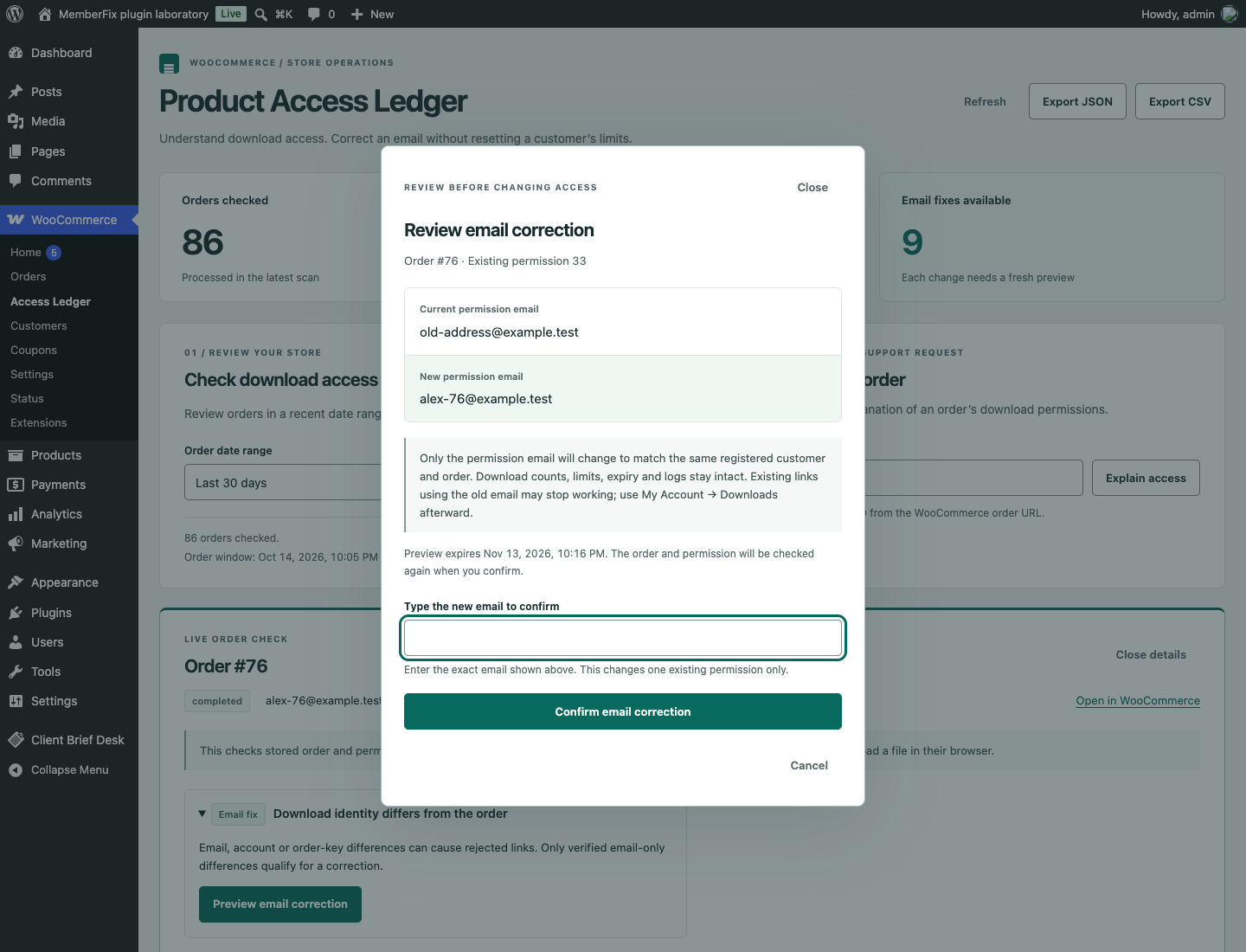
Preview an eligible permission-email correction. Counts, allowance, expiry and download history stay intact. Each correction has an audit entry and a guarded undo.
Step-by-step tutorial
Start with a staging copy of your store and a test order. Looking up an order and running a scan do not change customer access.
Get the installable ZIP ↗Download access-ledger.zip from the release below. In WordPress, go to Plugins → Add New → Upload Plugin, upload the ZIP and activate it. WooCommerce must already be active.
Go to WooCommerce → Access Ledger. Enter the numeric order ID from the WooCommerce order URL and choose Explain access. You need an account with permission to manage WooCommerce.
Check the order state, expiry, remaining downloads and identity findings. An expired or exhausted permission may be working as intended. A missing permission is reported for review; the plugin will not recreate it.
For an eligible email mismatch, choose Preview email correction. Compare the old and new address. Type the proposed email exactly, then choose Confirm email correction only if that is the change you intend. A stale preview must be refreshed.
After a correction, have the customer use My Account → Downloads for a current link; an old emailed link may stop working. Review the saved correction history. If you need to reverse it, Review undo rechecks the current record before offering an undo.
Choose the right tool
Before you install
Yes. It uses WooCommerce order APIs and has been tested with both High-Performance Order Storage and legacy order storage. The validation record lists the exact tested versions.
No. It explains stored access evidence and offers a narrowly checked email correction. Missing files, CDN problems, email delivery and restrictions added by other plugins need separate investigation.
No. A scan stores observations. An email correction is a separate action with a preview, explicit confirmation and a fresh check of the order and permission.
Yes. The complete release is available under GPL-2.0-or-later. No SaaS account, paid dependency or license key is required.
Your site. Your data. The full source.
Download v1.1.0, read the setup guide and try the workflow on your staging site.
Found a reproducible problem? Open a GitHub issue. Keep customer records and credentials out of public reports.
Need help with an integration? Talk to MemberFix Studio.