Jump to an admin screen
Type a short phrase such as “plug add” to find Plugins → Add New when your account has access. Menu matches use letters in order, so you do not need the full label.
Command Deckv1.0.0 · Source ZIP
Command Deck adds one searchable command palette to WordPress admin. Jump to a screen, find a page or start a common task from the keyboard, without learning another settings panel.
For site owners, editors and developers who spend their day in WordPress.
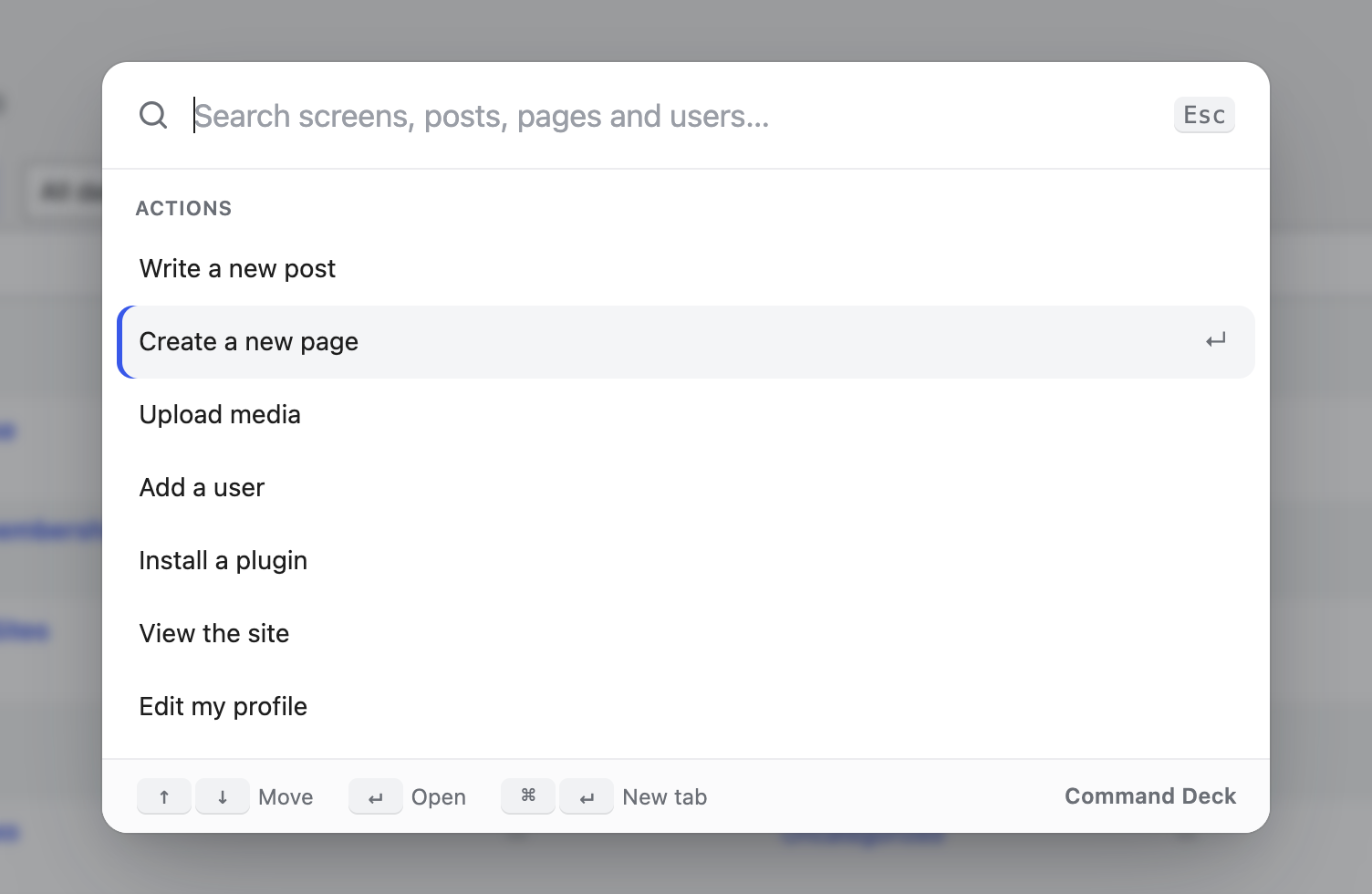
A growing WordPress site often has a growing sidebar. Command Deck brings the screens your account can use into one place, alongside common actions and results from the site’s own content search.
Type a short phrase such as “plug add” to find Plugins → Add New when your account has access. Menu matches use letters in order, so you do not need the full label.
After two characters, the palette also asks the WordPress REST API for matching content. User search appears for accounts with the required user permissions.
Use the arrow keys to select, Enter to open and Escape to close. Your five most recent selections are saved in this browser for the next visit.
Step-by-step tutorial
There is no settings page or build step. Install the source ZIP on a staging site first, then try the palette with the roles your team actually uses.
Get the source ZIP ↗Choose Download Command Deck to get the current GitHub source ZIP. In WordPress, open Plugins → Add New → Upload Plugin, upload the ZIP, install and activate it. You do not need to unzip it first.
On an admin screen such as the Dashboard, press ⌘K on Mac or Ctrl+K on Windows and Linux. You can also select Search in the WordPress admin bar.
Try plug add as an administrator, or type new post. Use ↑ and ↓ to highlight a result, then press Enter. The destination still checks your normal WordPress permissions.
Type at least two characters from a content title. Content results arrive from the site’s REST API. User results depend on your account permissions. This is a quick lookup, not an exhaustive content report.
Inside the block editor, Command Deck leaves ⌘K / Ctrl+K to WordPress. Use the admin-bar Search button there. Press Escape to close the palette; use the displayed modifier-plus-Enter shortcut to open a result in a new tab.
Choose the right tool
Before you install
No. Activate the plugin and open the palette from an admin screen. Its screens come from the WordPress menu available to your account.
The plugin deliberately leaves the block editor’s keyboard shortcut to WordPress. The admin-bar Search button still opens Command Deck.
No. Built-in menu entries and actions are filtered by capabilities, and their destinations retain the normal WordPress access checks. Developers adding custom actions must implement the appropriate checks for those actions.
Yes. The source is GPL-2.0-or-later. Download the GitHub source ZIP; there is no license key, subscription or build step.
Your site. Your data. The full source.
Download the source ZIP, read the setup guide and try the workflow on your staging site.
Found a reproducible problem? Open a GitHub issue. Keep customer records and credentials out of public reports.
Need help with an integration? Talk to MemberFix Studio.